Every bill, plan, and life admin in one calm app.
Budge keeps your bills lined up with your paydays — along with credit cards, checks, debts, projects, plans, and family health records. Share the whole thing with the people you live with.
Everything life sends your way
Built around how you actually pay bills.
Most apps think in calendar months. Budge thinks in paydays — the stretch between one payday and the next, which is how the money really works — and keeps everything else money touches right beside it.
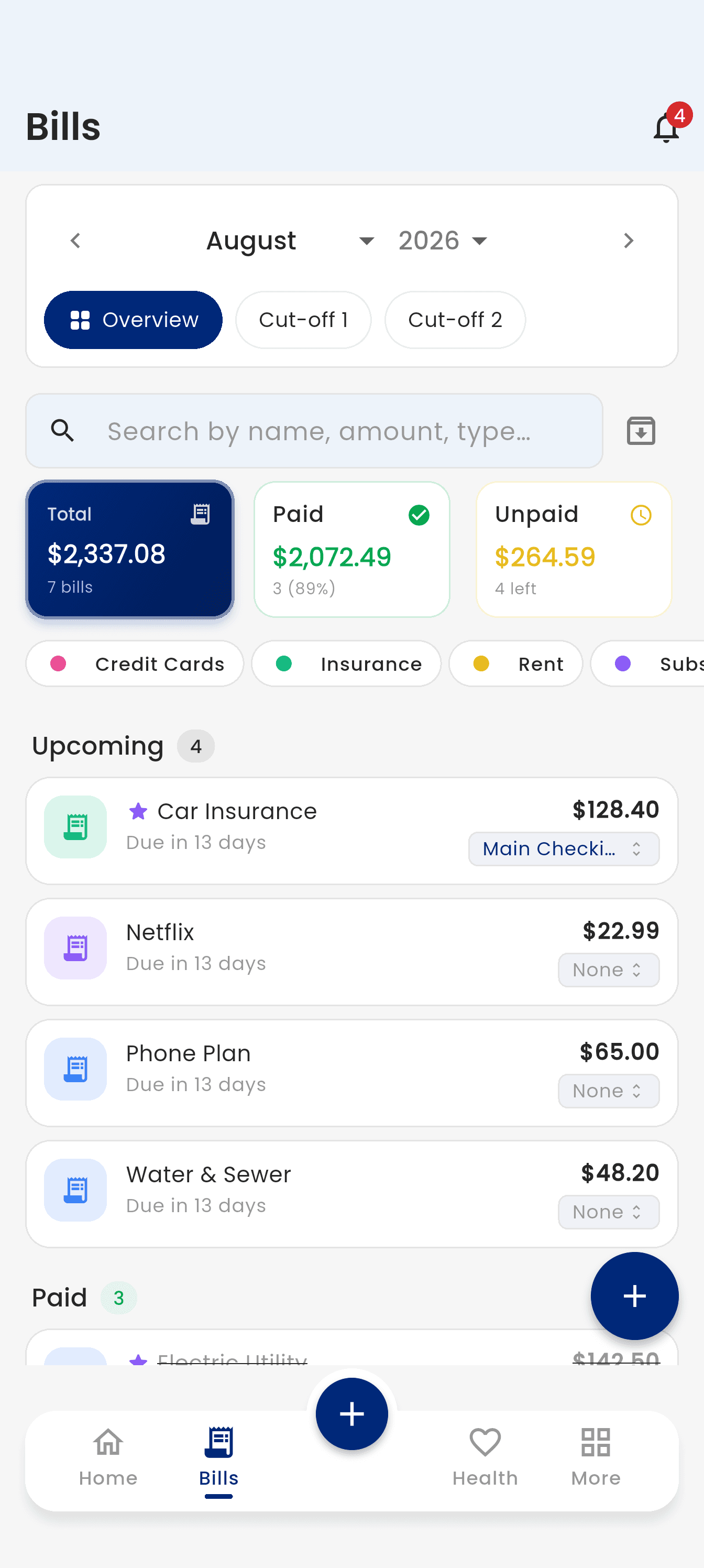
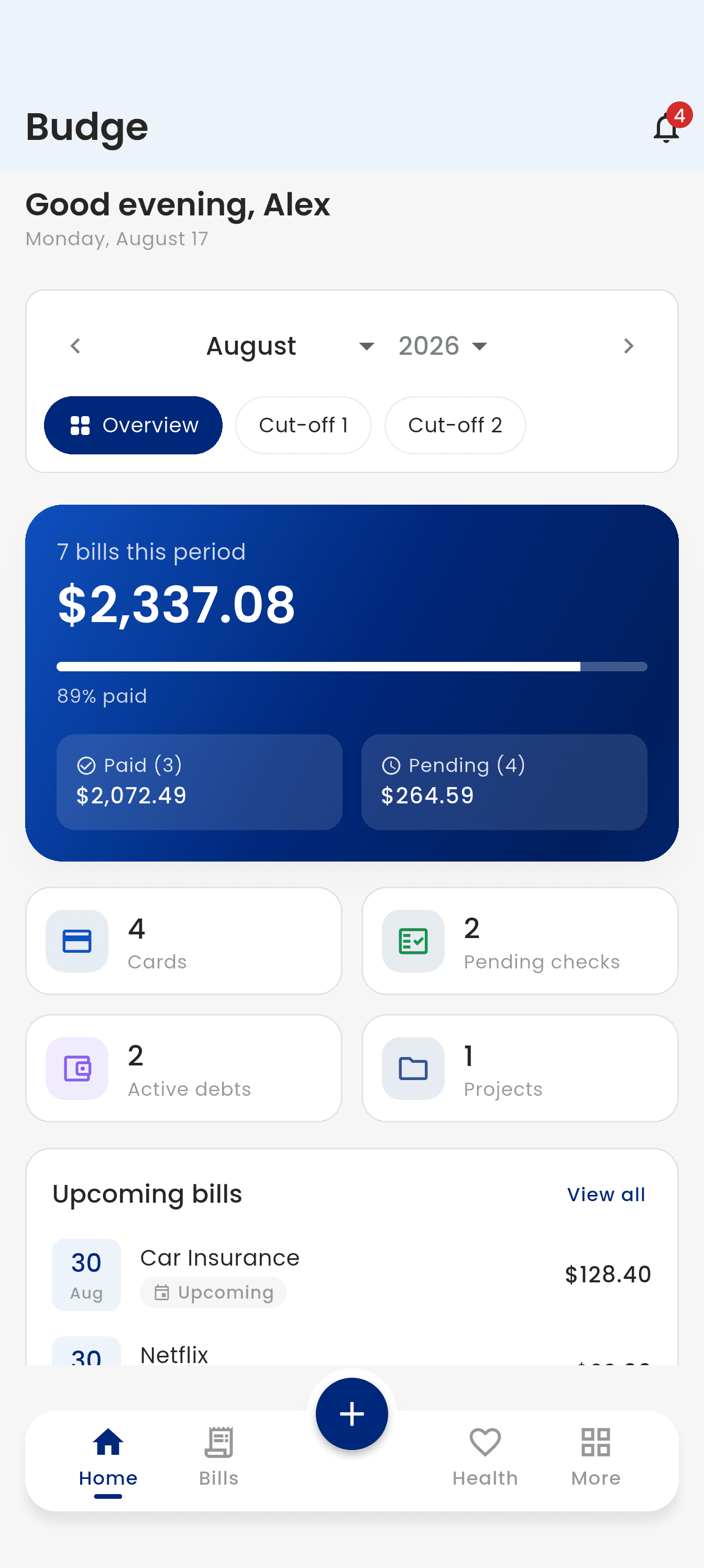
Bills by pay period
Group your bills by the payday-to-payday stretches you actually live by. See what is paid and what is not at a glance.
Credit cards
Keep your cards in one place with their statement days and payment due dates, so nothing slips past a billing cycle.
Checks
Log issued and pending checks and mark them cleared or bounced, so your real balance is never a surprise.
Debts
Keep track of what you owe and what people owe you, split costs between friends, and watch the balance shrink.
Projects
Run your client work with its own price, tax, invoices, and paperwork, kept well away from the household bills.
Schedules
Put recurring commitments and one-off events on a calendar and let Budge remind you before they are due.
Family health
Conditions, medicines, allergies, vaccinations, test results and appointments for each family member, with what each one cost.
Shared workspaces
Invite your partner or family into your workspace and manage the household together, with access you control.
Every part of Budge, end to end.
Nine screens, one app. These are real pictures from the app — scroll through and see exactly what you get.
Home
The whole period on one screen: what is due, what is paid, and what is still pending.
Bills
Every bill sitting in the pay period it belongs to, sorted by category and easy to search.
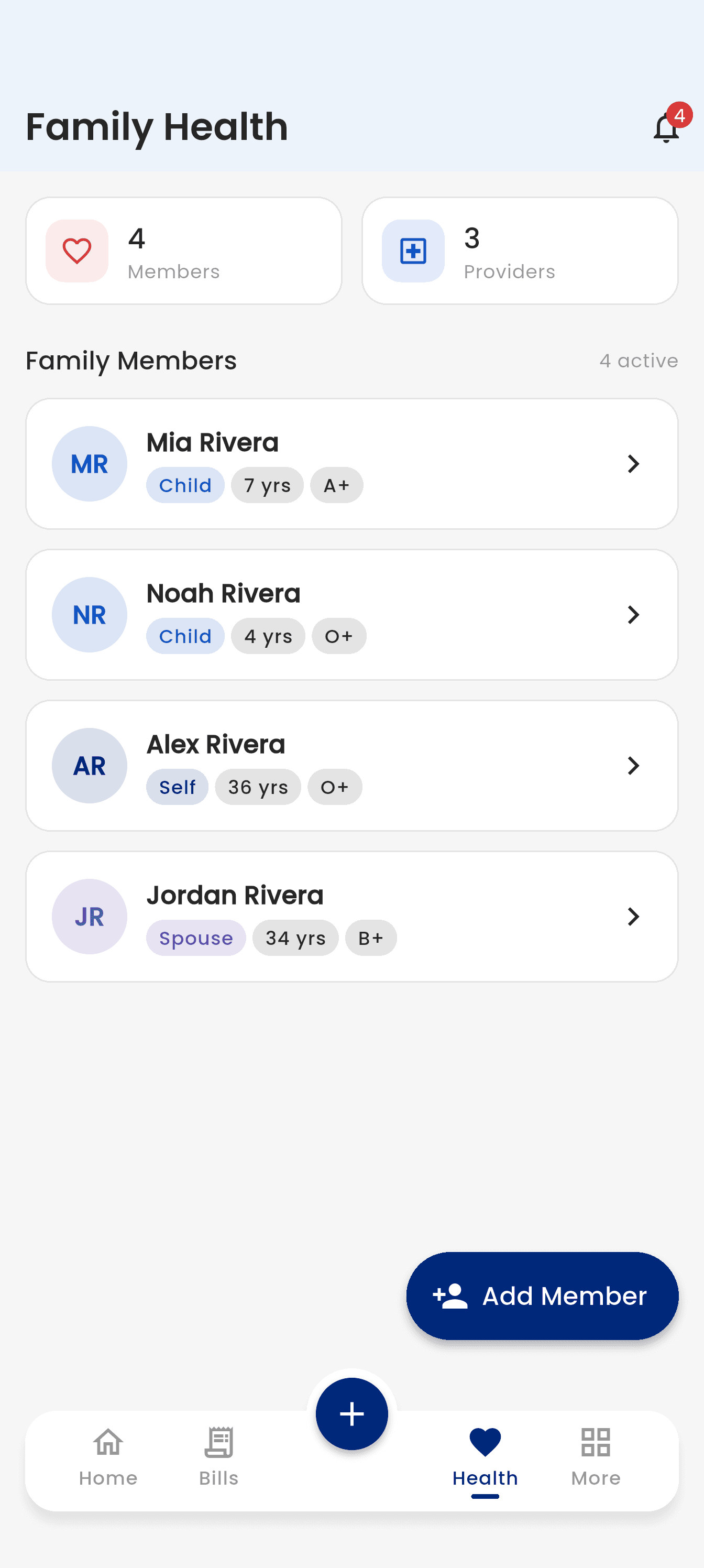
Family health
Everyone in the family with their conditions, medicines, allergies, appointments, test results, and what each visit cost.
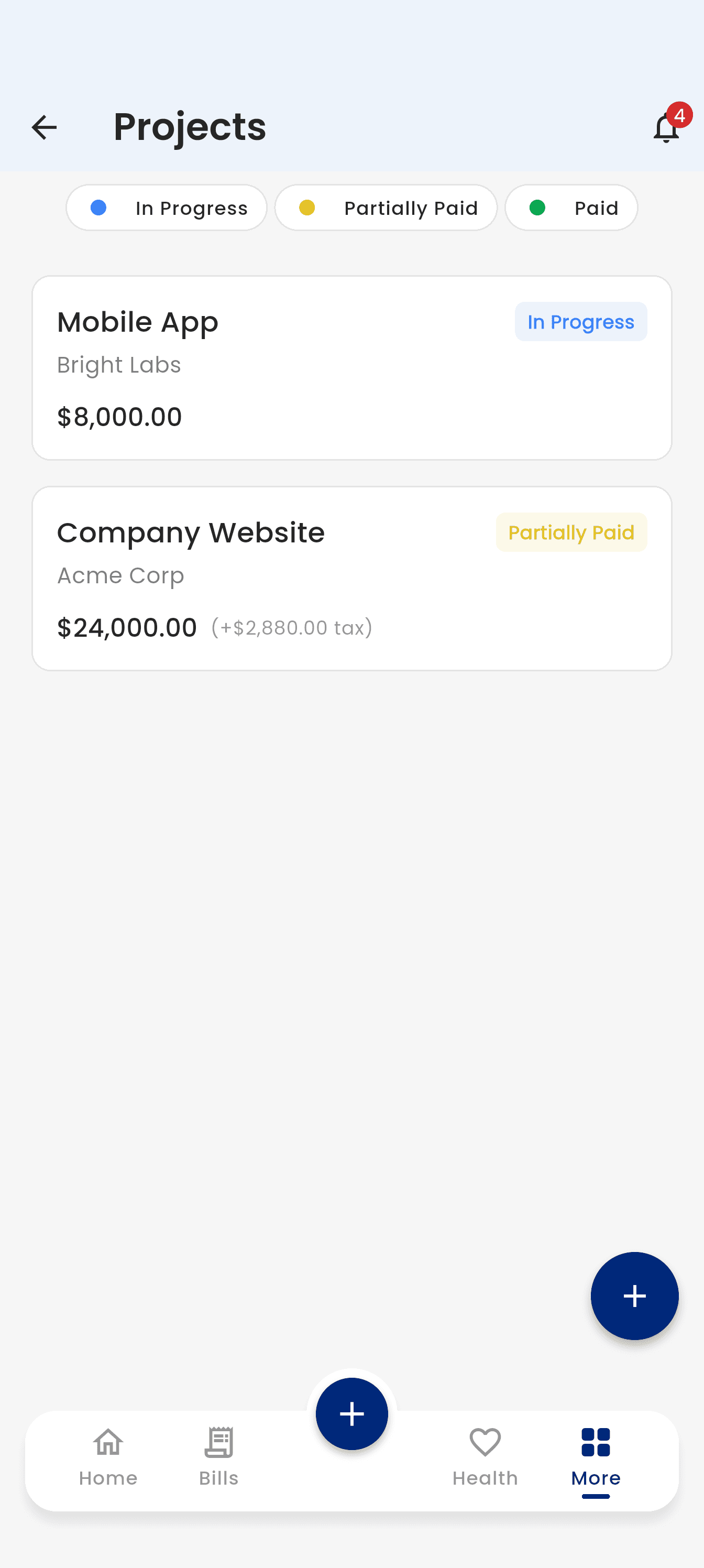
Projects
Client work with its price, tax, invoices, and paperwork, kept separate from the household bills.
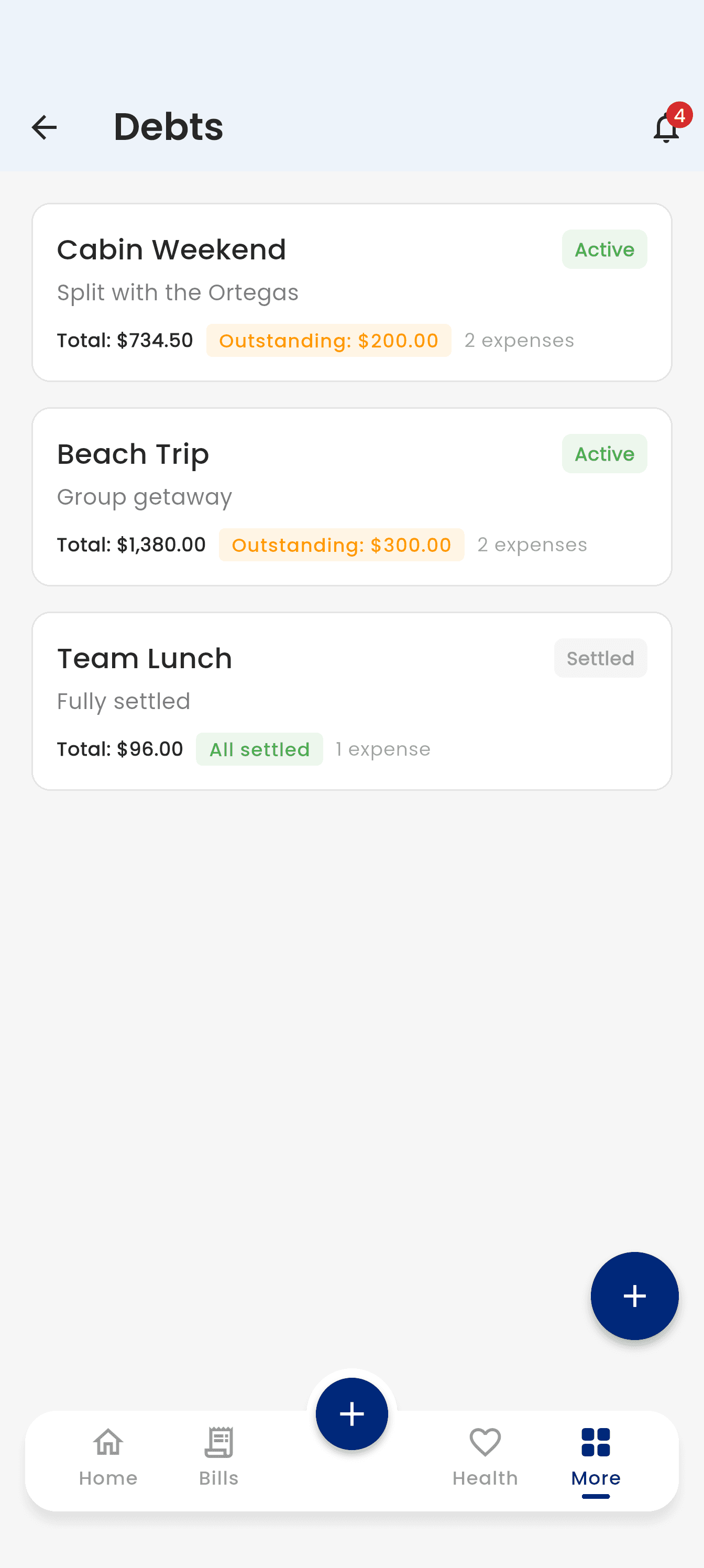
Debts
Group a trip or a shared tab, split each expense between people, and watch the outstanding balance settle.
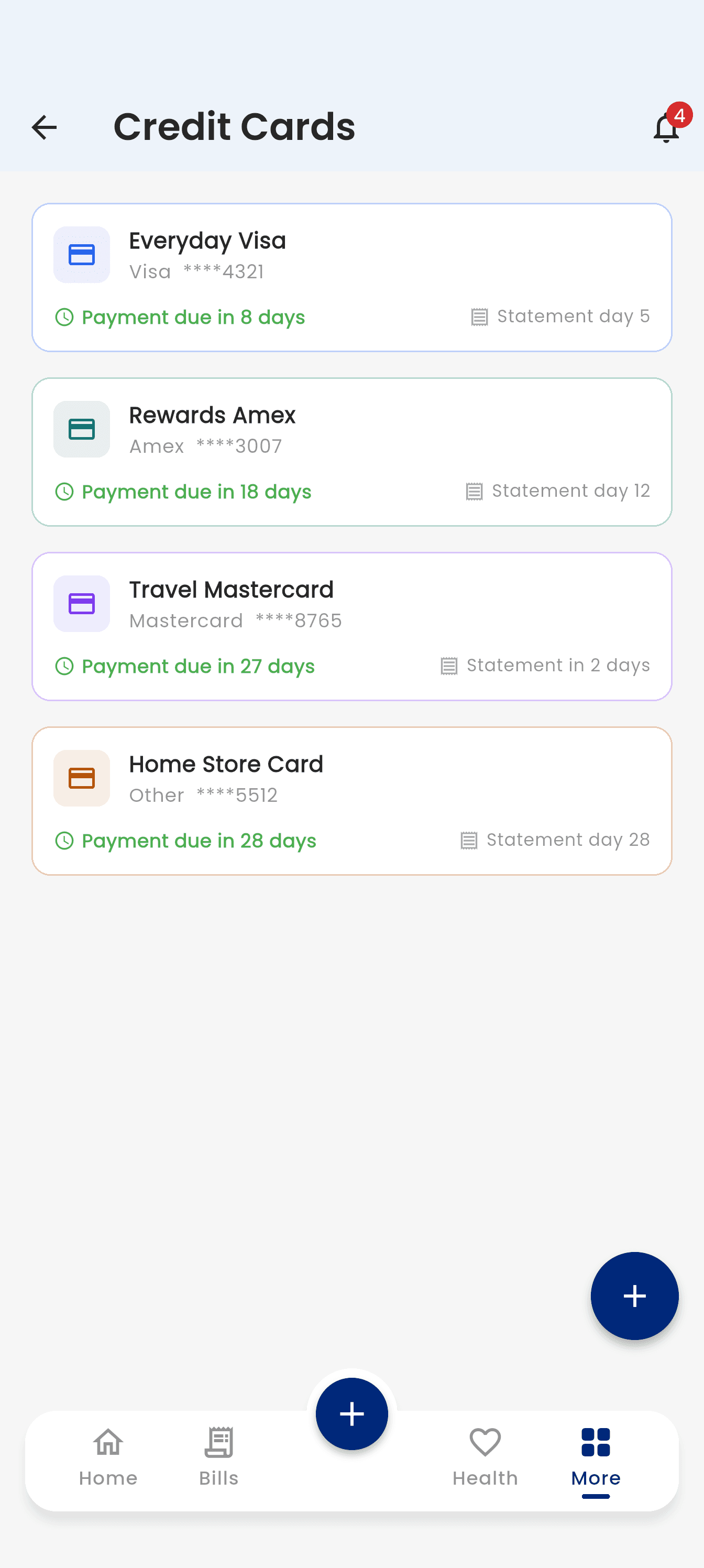
Credit cards
Each card with its statement day and payment due date, so nothing slips past a billing cycle.
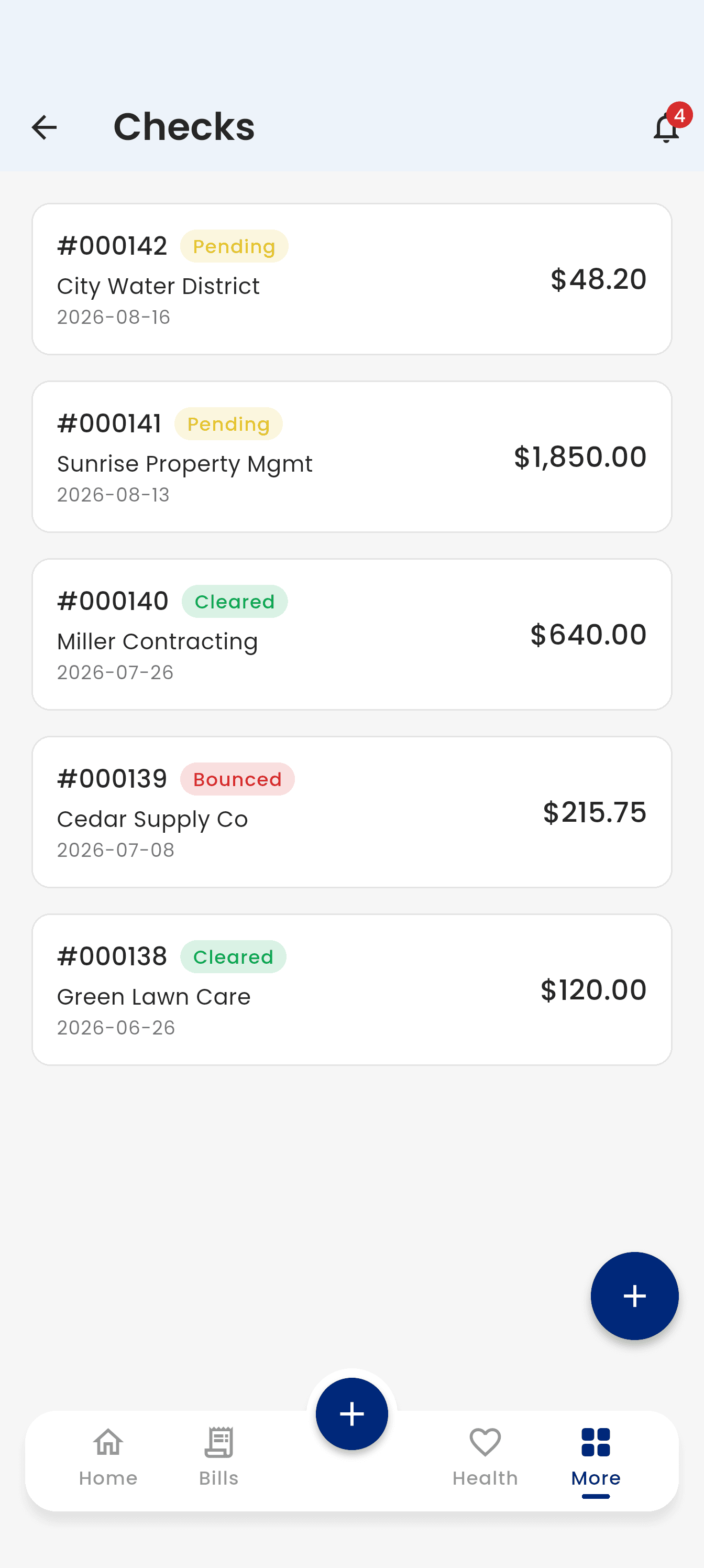
Checks
Log a check when you write it and mark it pending, cleared, or bounced, so your real balance is never a surprise.
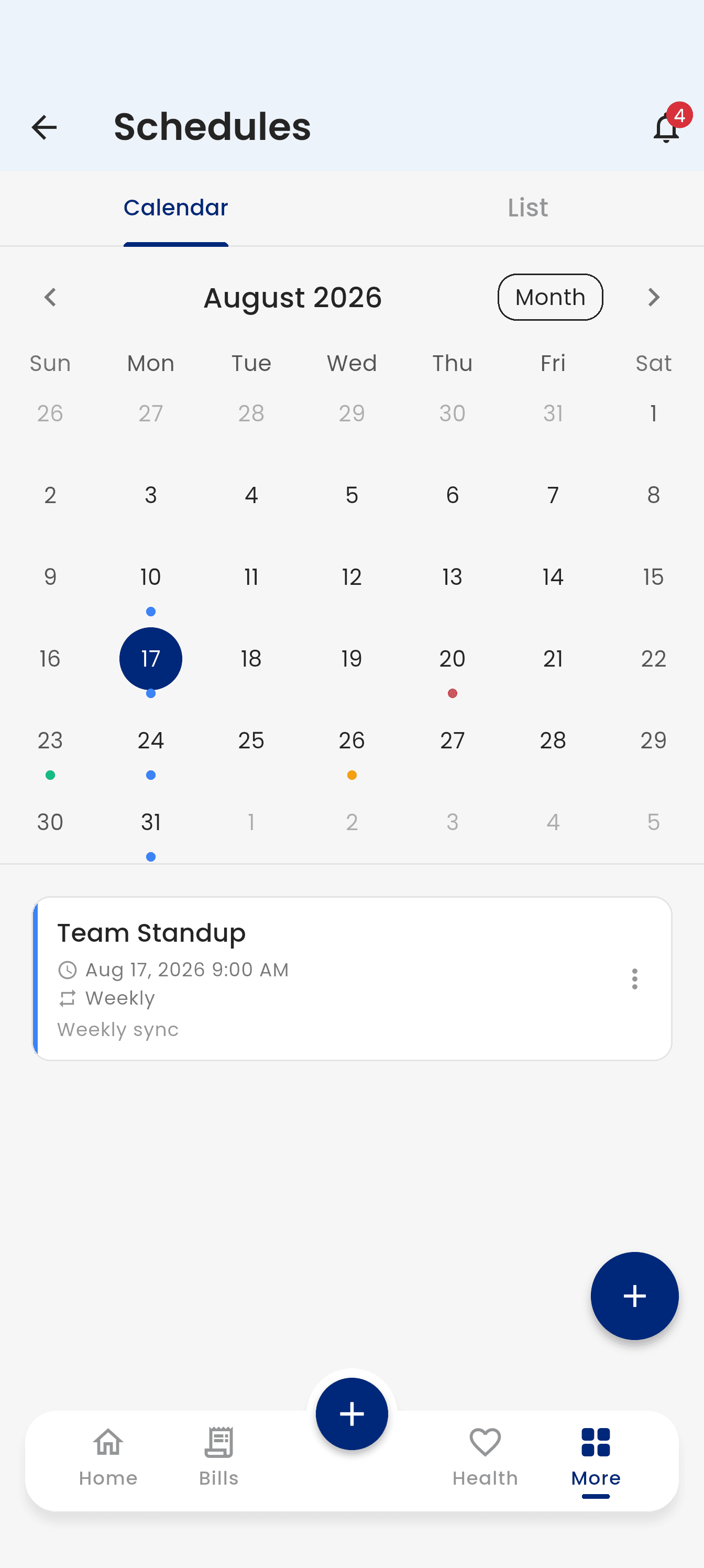
Schedules
Recurring commitments and one-off events on a calendar, with reminders your phone raises before they are due.
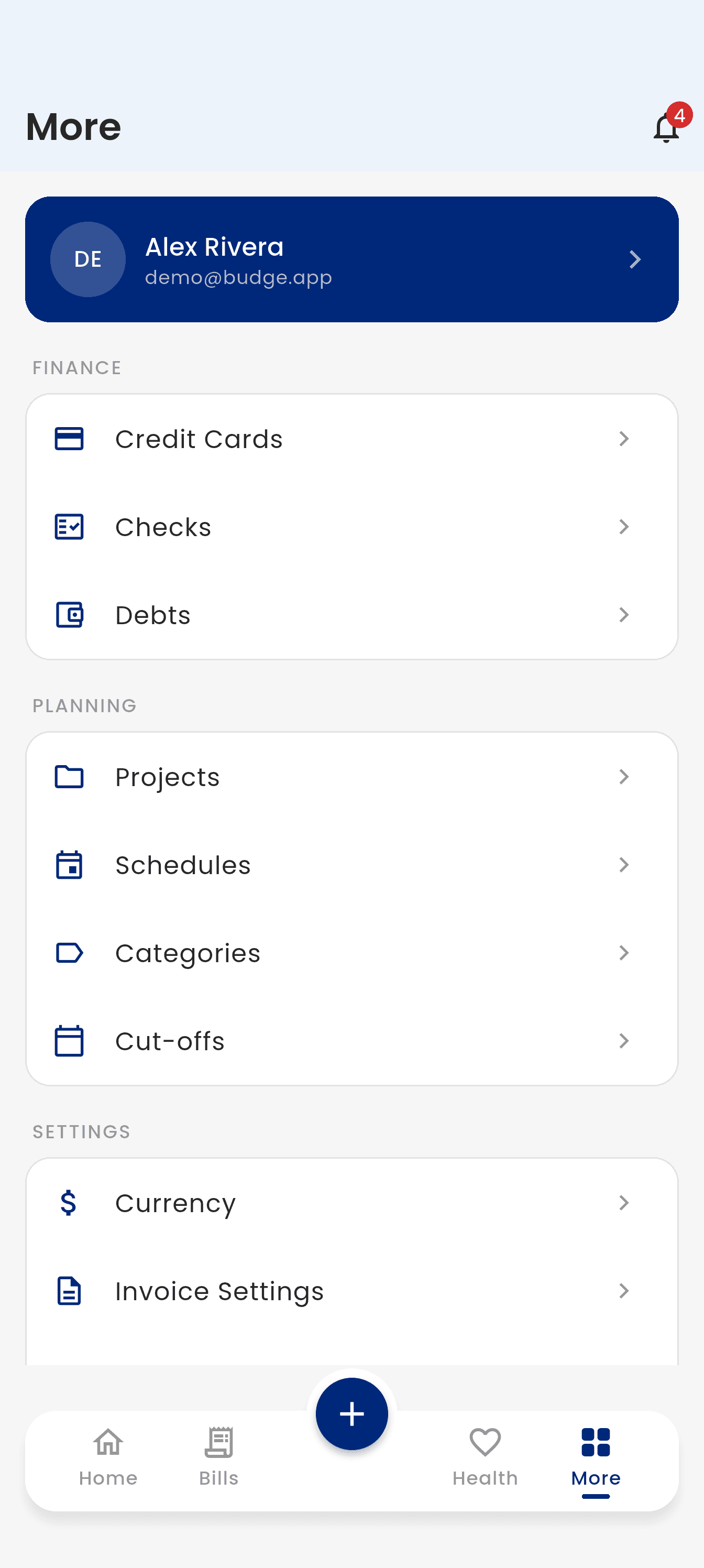
Everything else
Categories, pay periods, currency, invoice details, and your shared space, all one tap away.
Set it up once. Glance at it forever.
Add anything from anywhere — a bill, a check, a project, a plan — and Budge keeps the month tidy for you.
1. Add your bills and paydays
Tell Budge when your paydays fall, then add bills, checks, projects, and plans in seconds.
2. Stay ahead of due dates
The home screen shows what is paid, what is waiting, and what is due soon — and a reminder nudges you before the date.
3. Bring in your family
Share a workspace so everyone sees the same bills and plans, and nobody double-pays or forgets.
Private by default. Shared on your terms.
Budge is a notebook, not a bank. It never touches your money — it just keeps a clear picture of it that you can share with whoever you choose.
No bank linking
Budge never connects to your bank or touches your money. You add what matters to you, and you stay in charge.
Any currency
Track amounts in the currency you actually pay in, wherever life happens.
Access you control
Nothing you add is visible to anyone else until you invite them in — and you can change your mind any time.
Questions, answered.
The things people ask before they download.
Budge is an app for keeping your money and your life admin in order. Bills, credit cards, checks, debts, client work, schedules and even family health records all live in one place, on your phone.

Give your bills a place to live.
Budge is coming to the App Store and Google Play. These buttons light up the day it arrives.